
Upload the housing entitlement certificate.
Details recognised automatically.
The AI WBS check automatically reads the housing entitlement certificate (Wohnberechtigungsschein, WBS) in the prospective tenant’s profile: type of certificate, eligible persons, rooms, floor area and validity. This is how Immomio captures and processes correct WBS data. Landlords see the details in stage 3, after the viewing appointment.
- No manual typing
- Values can be corrected by the prospective tenant
- With consent, revocable at any time
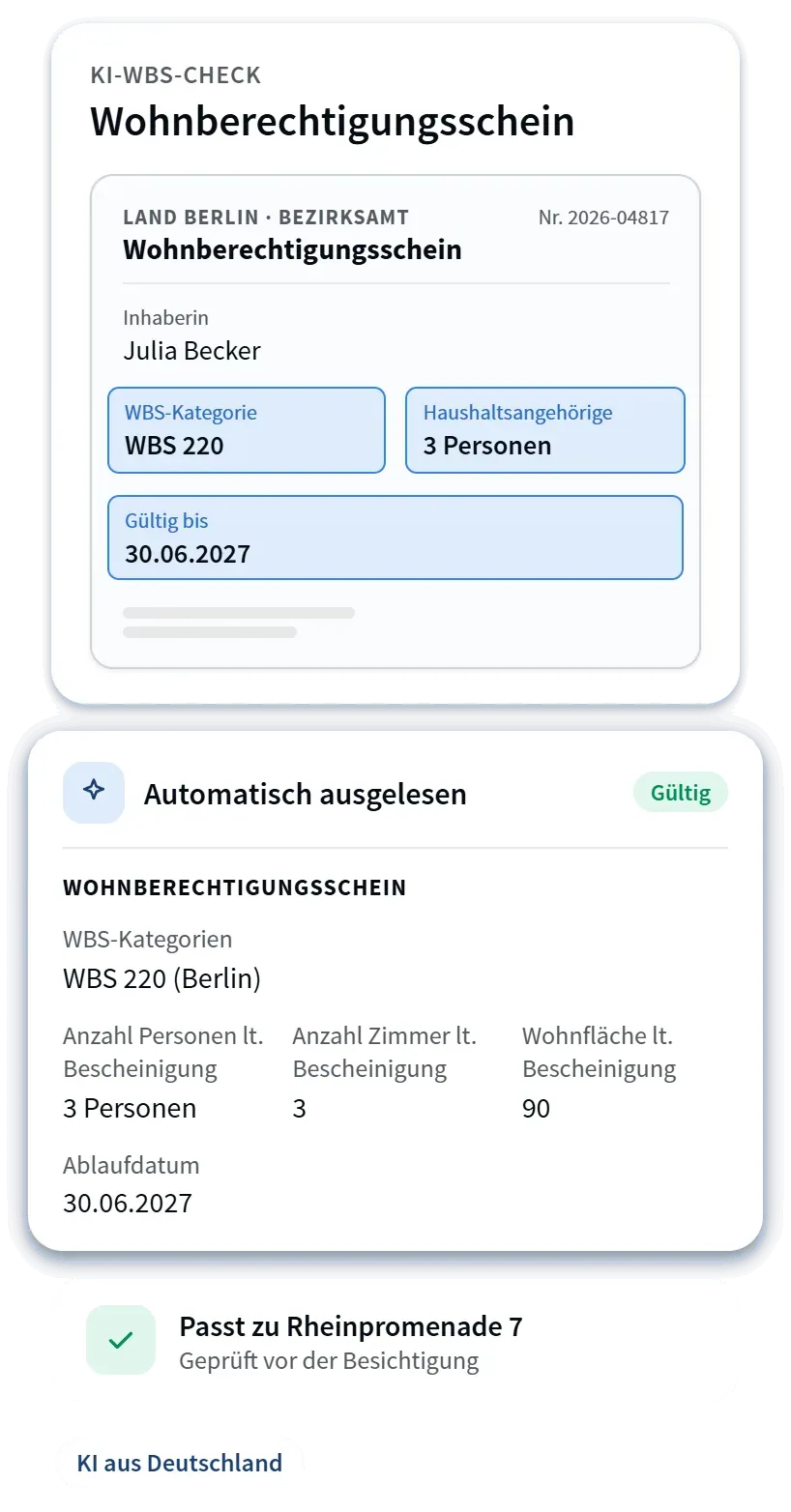
Verified WBS details in four steps.
The check sits in the prospective tenant’s profile, step 1 “Personal details”, section “Housing entitlement certificate”.
Agreement to extraction
The prospective tenant agrees to the AI-supported extraction by ticking a checkbox. Consent can be revoked at any time, and the document is then removed.
Upload the certificate
As a PDF, JPG or PNG, up to 20 MB. No upload is possible without consent.
Read the details automatically
Immomio recognises the WBS details and marks them as “Recognised”. The prospective tenant can correct any value.
Save the data
Immomio processes the confirmed details. You see them after the viewing appointment.
Correct details instead of free text.
Immomio captures the WBS details directly from the document and processes them in a consistent format. You see the details after the viewing appointment, complete and free of typos.
As before, the original certificate itself is checked before the contract is signed.
The process continues even without a recognised certificate.
Pointer and manual entry
In the expandable section “I don’t have a WBS”, prospective tenants find a pointer to the WBS calculator and can enter details manually.
New upload or manual entry
The prospective tenant is asked for a clearly legible image. Alternatively, they enter the details manually.
Check by Support
Anyone classed as a priority home seeker or an emergency case can send a request to Immomio Support directly from the process.
Where the AI WBS check is available.
Immomio prospective tenant portal
The check is available to all prospective tenants in the Immomio prospective tenant portal.
Branded portal with the Now offer
The check is included as standard in your branded prospective tenant portal.
Branded portal without the Now offer
If you have had the Now offer deactivated, prospective tenants enter the WBS manually as before.
For WBS holders, the check is also the gateway to free WBS access to Immomio Now, limited to WBS-subsidised properties.
AI WBS check – answered in brief.
What is the AI WBS check?+
The AI WBS check is a feature of the Immomio prospective tenant portal. Prospective tenants upload their housing entitlement certificate (Wohnberechtigungsschein, WBS) to their profile and Immomio reads the details automatically. This is how Immomio captures and processes correct WBS data without manual typing. Landlords see the details after the viewing appointment.
Which details are read?+
Type of certificate (e.g. §5 certificate, §6 certificate, income level), number of eligible persons, rooms, floor area and validity. Recognised values are marked and can be corrected by the prospective tenant.
Does the WBS check replace checking the original?+
No. You see the extracted details after the viewing appointment. As before, the original certificate itself is checked before the contract is signed.
Where is the WBS check available?+
In the Immomio prospective tenant portal and in the branded prospective tenant portal with the Now offer (standard). If you have deactivated the Now offer for your branded portal, the WBS check is not available there; the housing entitlement certificate is then entered manually as before.
What happens if there is no certificate or it is not recognised?+
Prospective tenants without a WBS find a pointer to the WBS calculator and can enter details manually. If a document is not recognised, they can upload it again or enter the details manually. Priority home seekers and emergency cases can request a check by Immomio Support.

See the AI WBS check live.
We show you the process from your prospective tenants‘ point of view and when the WBS details become available to you.